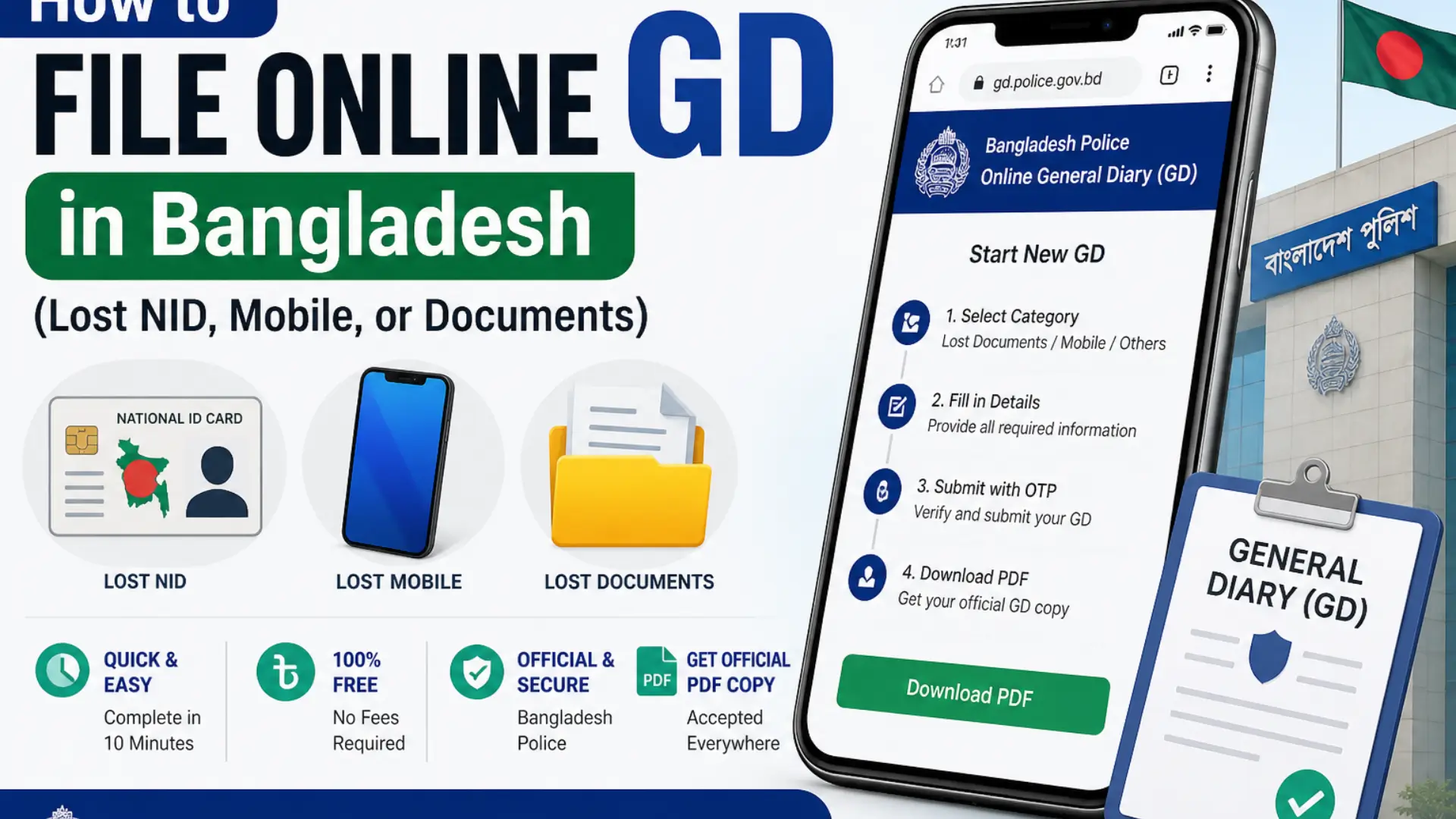
How to File Online GD in Bangladesh (Lost NID, Mobile, or Documents)
File Online GD. Losing important documents like your NID card, mobile phone, or passport can be stressful. Fortunately, the Bangladesh Police has made the process easier by introducing an online General Diary (GD) system. Now, you can file a GD in just 10 minutes without visiting a police station. This digital system provides a quick, secure, and hassle-free way to report lost items and receive an official PDF copy accepted by banks, telecom companies, and government offices.
What Is an Online GD?
A General Diary (GD) is an official report submitted to the police to record non-criminal incidents such as lost or missing items. When you file a GD online, you receive a reference number along with a downloadable PDF that serves as legal proof of your report.
The online GD system is specifically designed for non-criminal cases. It is suitable for reporting:
- Lost NID card
- Mobile phone
- Passport or driving license
- Academic certificates
- SIM cards or other personal documents
However, if the case involves theft, robbery, or any criminal activity, you must visit the nearest police station in person.
Quick Overview of the Process
Filing an online GD is simple and takes about 10 minutes. Here is a quick summary:
- Visit the official website or install the app
- Register with your NID and mobile number
- Complete your profile
- Select the lost item category
- Fill in details
- Submit using OTP
- Download your PDF copy
Platforms You Can Use
You can file your GD using two methods:
App Method
The Bangladesh Police Online GD app is available for Android users on the Google Play Store.
Website Method
You can also use any browser by visiting the official website: gd.police.gov.bd
Both platforms use the same account and follow the same steps.
Step-by-Step Guide to File Online GD
Step 1: Open the App or Website
Download the “Online GD” app from the Play Store or open the official website in your browser. Both options provide the same features and process.
Step 2: Create Your Account
Click on “Register” and enter your mobile number. You will receive a 6-digit OTP for verification.
After verification, enter:
- Your NID number
- Date of birth
- Upload a clear photo
- Set a secure password
Once done, your account will be created successfully.
Step 3: Complete Your Profile
Before submitting a GD, you must complete your profile:
- Add your digital signature by drawing it on the screen
- Enter contact details including email and mobile operator
This is a one-time setup and will be saved for future use.
Step 4: Start a New GD
From your dashboard, click on “Start New GD” and select the category based on your lost item:
- Lost Documents (NID, passport, license)
- Lost Mobile Phone
- Lost Vehicle
- Others
Choose the most relevant category to proceed.
Step 5: Fill in Details
Provide accurate and complete information, including:
- Type of item lost
- Document number (if available)
- Your personal details
- Location (district, area)
- Date and time of incident
- Description of how the item was lost
For example: “I lost my NID card while traveling on a bus from Mirpur to Farmgate.”
Step 6: Review and Submit
Carefully review all details before submission. Once confirmed:
- Click “Final Submit”
- Enter the OTP sent to your mobile
- Submit your application
Remember, you cannot edit the GD after submission.
Step 7: Download Your GD Copy
After submission:
- Go to your dashboard
- Open your GD application
- Click “Application Print”
- Download or print your PDF copy
This document serves as official proof of your report.
What Happens After Submission?
Once submitted, your GD is sent to the relevant police station for review. Usually:
- Approval is given within a few hours or within 24 hours
- You may be contacted if additional information is required
- You can track status through your dashboard
If rejected, you will need to submit a new GD.
Do You Need a GD for Lost NID in 2026?
As of 2026, the Bangladesh Election Commission no longer requires a GD to apply for a replacement NID. However, filing a GD is still recommended in certain situations:
- If you fear misuse of your NID
- If banks or telecom companies request it
- For personal record and security
So, while it is not mandatory, it is often useful.
Who Can Use the Online GD System?
To use this system, you must:
- Be a Bangladeshi citizen (18+)
- Have a valid NID card
- Have a mobile number registered in your own name
- Have internet access
If your SIM is not registered in your name, you may face OTP issues. In such cases, visit a police station for manual GD filing.
Benefits of Online GD System
- Saves time (no need to visit police station)
- Completely free of cost
- Easy and user-friendly process
- Instant PDF download
- Accepted by official institutions
Conclusion
Filing an online GD in Bangladesh is now faster and more convenient than ever. Whether you have lost your NID, mobile phone, or any important document, the process can be completed in just a few minutes from your home.
By registering once, you can use the system anytime in the future. Always keep your GD PDF safe, as it may be required for verification or legal purposes. This modern system not only saves time but also ensures that your complaint is officially recorded without hassle.